Decide in 30 Days Whether Your Industrial SME Needs MRP or ERP

2026-09-01
MRP plans materials; ERP is a business management platform that almost always includes an MRP engine. If your only problem is calculating what to buy and when to manufacture, MRP solves it. If you’re also dealing with a lack of coordination between production, accounting, sales, or multiple plants, you need ERP. The next logical step is to audit where your operations are actually failing before signing anything.
In short:
If you manage multiple plants or legal entities and need a consolidated view, choosing a full ERP system is essential.
To address only materials planning and purchasing, without coordination between departments, a standalone MRP system may be enough and faster to implement.
When production on the plant floor generates real-time data and you need to reduce manual work, integrating a MES system with your ERP or MRP optimizes synchronization and efficiency.
Implementing an ERP can take months and require consulting, while platforms such as Bold Factory can be integrated in days and used on mobile devices.
It’s a good idea to analyze operational symptoms before deciding: stockouts, slow closes, or disconnects between production and accounting indicate a need for a full ERP.
Table of contents
-
What is MRP (and MRP II): key functions, logic, and limitations
-
Key differences between MRP and ERP across operational dimensions
-
How MES fits in and why it may be needed alongside MRP or ERP
-
Practical case: how Bold Factory integrates MRP, MES, and warehouse management on one platform
-
Integrate MRP, MES, and warehouse management without a months-long project
What is MRP (and MRP II): key functions, logic, and limitations
MRP (material requirements planning) starts with a product’s bill of materials, breaks it down piece by piece, and calculates how much needs to be purchased or manufactured and by what date. This process is called bill of materials (BOM) explosion, and it is combined with netting (subtracting what you already have in stock) and offsetting by each component’s lead time, as described by Supply Chain Research.
A typical MRP system covers these functions:
-
Calculating material requirements based on demand or the master production schedule.
-
Automatically generating purchase and manufacturing orders.
-
Managing safety stock and reorder points.
-
Tracking delivery lead times by supplier and component.
Professional tip: always check the lead times entered in the system before relying on its purchasing recommendations: a poorly calibrated MRP system generates perfectly timed orders based on data that is no longer accurate.
The fundamental limitation is that MRP assumes infinite production capacity and fixed lead times, which is rarely the case in a real workshop with shared machines and breakdowns. By design, it doesn’t check whether you have machine hours available that week; it only tells you what materials you need and when. For an SME that manufactures to order with a limited range of products, this limitation is usually acceptable, and MRP can immediately make a difference in reducing stockouts.

What is ERP: functional scope and benefits over MRP
ERP (enterprise resource planning system) is built on a single database shared across the company, on top of which it offers modules for finance, purchasing, sales, human resources, and almost always an integrated MRP engine. The fundamental difference isn’t that ERP replaces MRP, but that it wraps it within a much broader management system, as explained by ERP Research.
Common modules in a manufacturing ERP include:
-
Accounting and finance integrated with purchasing and sales.
-
Customer and order management with real-time margin visibility.
-
Human resources and payroll.
-
The MRP engine itself for materials planning.
-
Consolidated reporting across departments and, if there are multiple locations, across plants.
The real benefit over standalone MRP is cross-functional visibility: management can see the impact of a purchasing decision on the income statement without requesting a report from each department, and repetitive reconciliation tasks between systems disappear because they all feed the same database, according to Forbes Advisor. The cost of this breadth is predictable: more modules, more users to train, and an implementation that takes months instead of weeks.
Key differences between MRP and ERP across operational dimensions
The quickest way to decide is to compare them by dimension, not by commercial label. MRP and ERP aren’t competing for the same role: one solves a specific problem, while the other manages the entire company.
-
Scope: MRP covers materials planning and purchasing; ERP also covers finance, sales, HR, and MRP itself.
-
Typical users: planners and purchasing staff use MRP; the entire organization uses ERP, from administration to management.
-
Database: MRP typically works with inventory and production data; ERP centralizes all company data in a single source.
-
Implementation time: a focused MRP system is typically deployed in 2 to 6 months, compared with ERP projects that take months or even years, according to ERP Research’s estimate.
-
Cost and scalability: MRP scales well as long as the problem remains materials-related; ERP scales better when the problem is coordination between departments or locations.
In practice, MRP is rarely an exclusive alternative to ERP: it’s usually included in it. The real question isn’t “MRP or ERP,” but whether you need only that planning engine or the entire platform around it.
When to choose standalone MRP and when to migrate to ERP
Before comparing software prices, measure these symptoms in your own operation. They’re the signals that show whether you should stay with MRP or move up to ERP.
-
Count how many manual integrations you maintain today. If reconciling production with accounting takes you more than a day a month, that’s a sign you need ERP.
-
Measure your monthly accounting close time. A close that drags on because production data isn’t available in real time points to ERP.
-
Check whether you operate more than one legal entity or plant. Multi-location consolidation is ERP territory, not MRP.
-
Check whether your problem is limited to materials. Stockouts or miscalculated purchases without accounting friction are reasons to stay with MRP.
Small companies with processes concentrated in a single plant often don’t need a full ERP from day one, according to MYOB. Many companies migrate from MRP to ERP gradually, when accounting friction exceeds the cost of integrating separate systems, according to ERP Research.
Professional tip: if your real limitation is machine capacity, neither MRP nor ERP solves it well: that’s where an APS system for finite-capacity planning comes in, as Supply Chain Research points out.
How MES fits in and why it may be needed alongside MRP or ERP
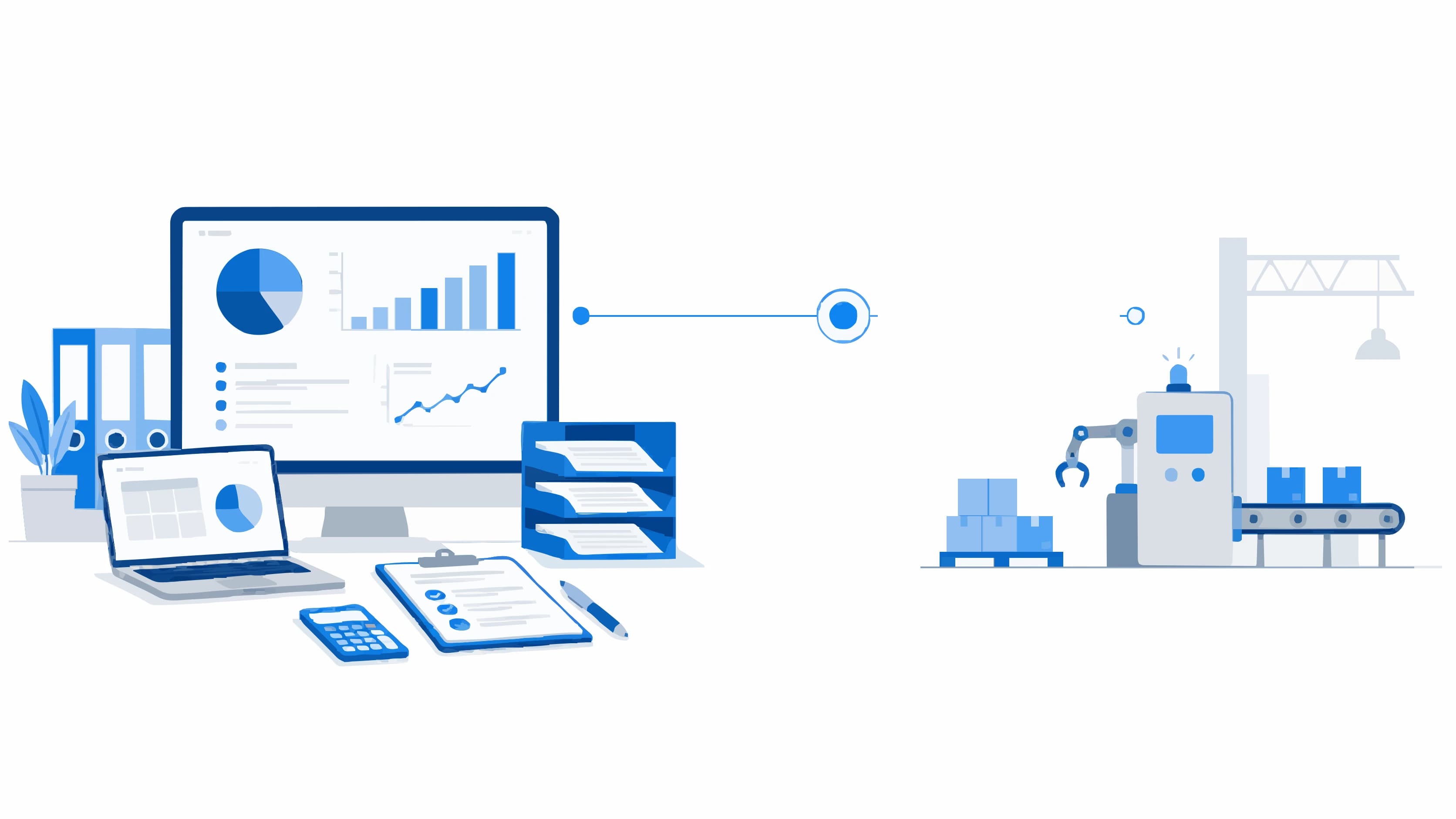
MRP plans, ERP records and coordinates, and MES (manufacturing execution system) handles the work in between: capturing what’s happening on the plant floor in real time. Without this layer, your materials plan is still based on estimates while the production line’s reality moves in a different direction.
The typical workflow works like this:
-
MRP generates the manufacturing order with dates and quantities.
-
MES records actual progress: which operator, which machine, how much time, how many good parts, and how many rejects.
-
ERP receives this consolidated data to update costs, inventory, and invoicing without anyone having to enter anything manually.
That link between execution and planning is where the operational difference really shows, because without MES integration, the factory and the office remain out of sync even if ERP has been implemented.
Practical case: how Bold Factory integrates MRP, MES, and warehouse management on one platform
A machining SME that manufactures to order doesn’t need to launch three separate projects to connect planning, execution, and warehouse management. Bold Factory brings together the MRP planning engine, production control on the plant floor (MES), warehouse management and traceability (SGA), and machinery maintenance (GMAO) in one system, with artificial intelligence agents that automate repetitive tasks through simple-language instructions.
When an operator records the progress of an order on a mobile device and that data feeds directly into purchasing plans without anyone re-entering it, the delay between what’s happening on the plant floor and what the production manager sees disappears.
A traditional ERP takes months to implement and usually requires external consulting to adapt it to a small workshop. Bold Factory offers the opposite approach: production, planning and purchasing, warehouse management, and maintenance on one platform, designed so an operator can use it on a mobile device without prior training.
It’s implemented in days, not months, with no mandatory contract term. In the demo, see how it works with your own bill of materials and how it connects to the ERP you already have, if you need to keep it for accounting. Request a trial of the industrial production control software and use a real pilot to assess how much time your team stops wasting on manual data reconciliation.
What to do now: a checklist before deciding
Before asking anyone for a quote, organize your decision with these three steps.
-
Audit the actual bottlenecks: are materials, accounting, or coordination between plants failing?
-
Ask for these features in the demo: bill of materials (BOM) management, accounting integration, an open API, and consolidated reports.
-
Run a 30-day pilot with a measurable success criterion, such as cutting manual reconciliations in half.
| Symptom identified | Recommended system |
|---|---|
| Stockouts and uncoordinated purchasing | Standalone MRP |
| Slow accounting closes and silos between departments | Full ERP |
| Lack of real-time data from the plant floor | Add MES to MRP/ERP |
| Machine capacity as a bottleneck | Complementary APS system |
What often goes wrong with these implementations
The most common mistake isn’t choosing the wrong system between MRP and ERP, but starting the project without a defined scope: someone asks to “manage the entire factory,” and no one prioritizes which process to address first. The second mistake is launching the system with dirty master data, outdated bills of materials, or duplicate references; no software can fix that on its own. The early sign that the project is going well isn’t the launch date, but whether operators are already entering real data in the first two weeks without anyone having to chase them.
Sources
For more historical and technical context on this comparison, it’s worth reviewing how SAP describes the evolution from MRP to ERP and what distinguishes an APS system for finite-capacity planning. If you’re interested in plant-floor execution, the page on production control integrated with your ERP explains how to connect both layers without duplicating work.