Warehouse Management System (WMS)
Our WMS system lets you control stock, manage inventories and optimise logistics processes, delivering more efficient and error-free warehouse management.
Wherever You Are
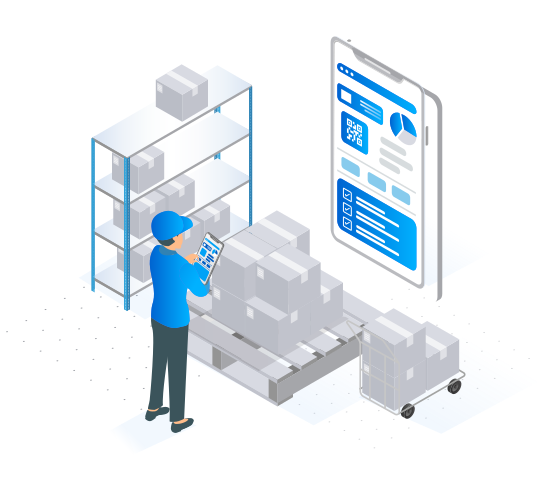
Check stock and plan work comfortably from a PC, while your operators follow instructions on their mobile device — or flip it around. Total flexibility is yours!
We also don't dictate which device your warehouse operators must use: tablet or phone, iOS or Android — that's entirely up to you.

Automatic Delivery Note Scanning
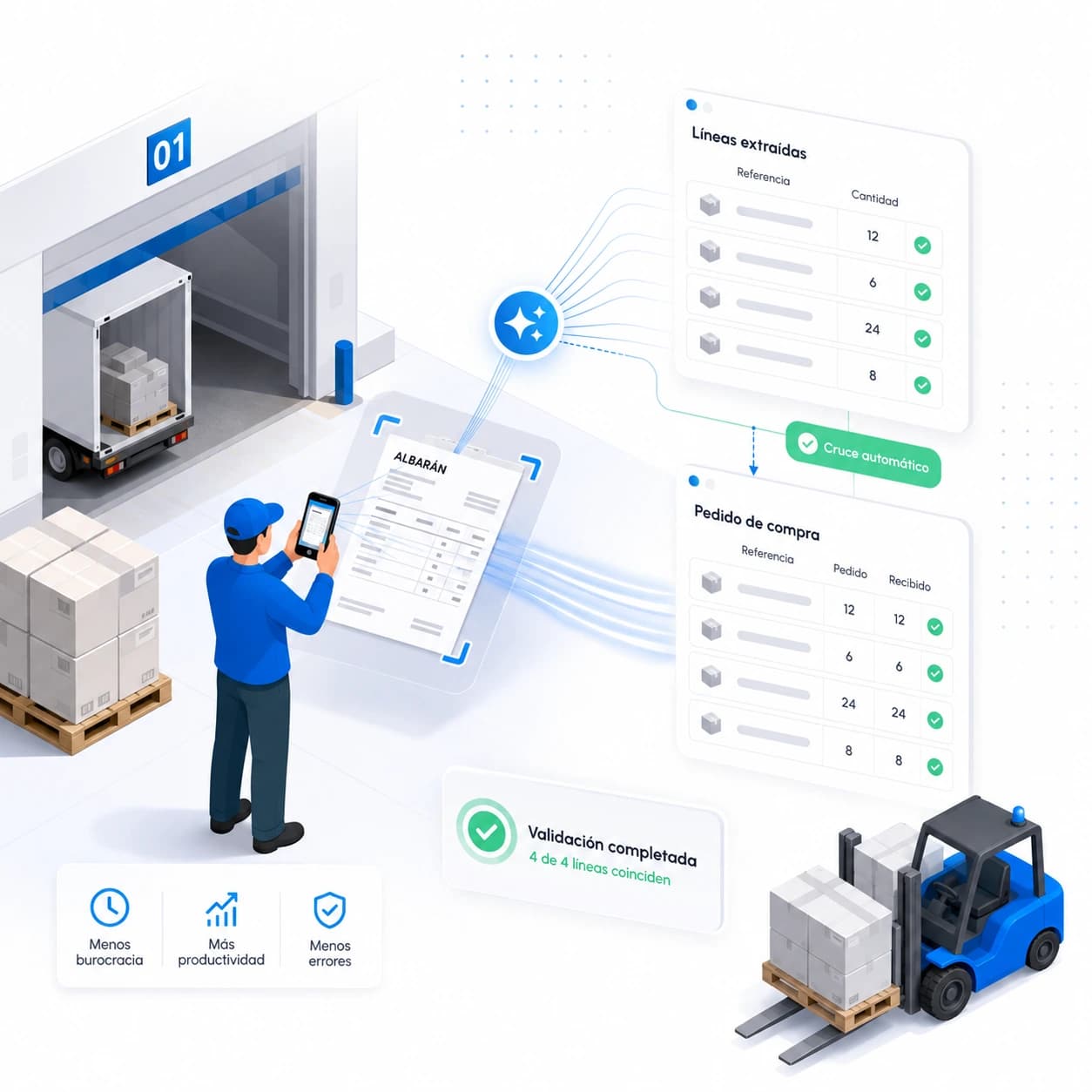
Stop typing delivery notes line by line. Just take a quick photo of the delivery note and Bold automatically extracts the references and quantities, ready to register in the warehouse.
And because we cross-check the information against the purchase orders already in the system, transcription errors are completely eliminated. Less admin, more productivity, and a team that gets hours back for work that truly matters.
On-Site Inventory, Paperless
With Bold, weekly stock-counts are a thing of the past — every production run automatically consumes raw materials and creates finished goods.
And when it's time to count, your operators do it on-site from their tablet or phone: scan the location, enter the quantity, done. Paper forms and manually keyed spreadsheets are gone for good.
Full Traceability, from Purchase to Despatch
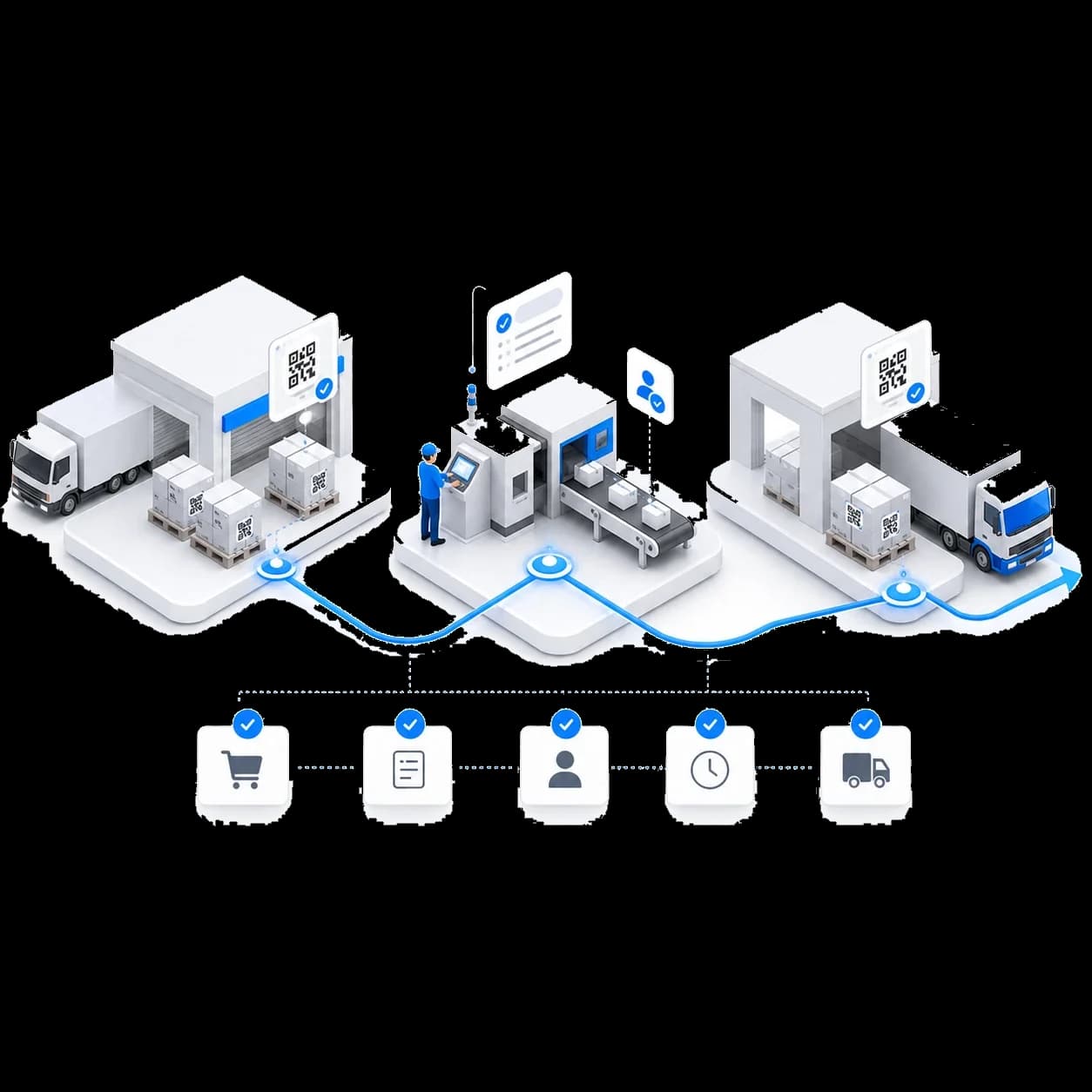
Bold tracks the batch at every step of the process: from the moment material arrives as a purchase, through manufacturing in each work order, to despatch on its way to your customer.
The result is a complete history of everything that happens in your factory: which finished product each raw material ended up in, which operator worked on it, and when it was delivered. Ready for audits, claims and continuous improvement.
Frequently asked questions
What is a WMS (Warehouse Management System)?
A WMS (Warehouse Management System) is software that controls and optimizes all warehouse operations: goods receipts, locations, inventory, order picking, and the traceability of every product. Its goal is to centralize stock in a single tool to reduce errors, gain real-time visibility, and streamline daily operations. It is the foundation for digitizing the logistics of any factory or distribution center.
What is the difference between a WMS and an ERP?
The ERP manages the administrative, financial, and commercial information of the business, while the WMS specializes in the physical operations of the warehouse: locations, picking, receipts, shipments, and lot traceability. They are complementary systems: the ERP plans and invoices; the WMS executes in the warehouse. For both to perform well, they must be integrated so that orders and stock movements flow automatically between office and shop floor, with no double entry or transcription errors.
What is the difference between a WMS and a MES?
The WMS controls what exists in the warehouse and where: stock, locations, receipts, shipments, and traceability. The MES (Manufacturing Execution System) controls what is being produced and how on the shop floor: production orders, times, downtime, quality, and performance. They are complementary, and in a factory they should be connected so that every material consumed and every finished product flows automatically between the shop floor and the warehouse. Bold integrates both modules in a single cloud platform to eliminate data silos.
How does a WMS integrate with my company's ERP?
A modern WMS integrates with the ERP through a real-time bidirectional API: purchase orders and sales orders flow from the ERP to the WMS, and stock movements (receipts, shipments, inventory adjustments, dispatches) flow from the WMS to the ERP automatically. This eliminates double entry, discrepancies between office and warehouse, and intermediate Excel spreadsheets. Bold has a public documented API compatible with the most widely used ERPs (SAP, Sage, Navision, A3, and others).
What types of companies need a WMS?
Any company with physical stock that wants to keep it under control: factories with raw materials and finished goods, industrial SMEs with their own warehouses, distributors with high SKU turnover, and businesses with mandatory traceability requirements (food, pharmaceutical, automotive). If your team spends time in Excel spreadsheets figuring out what is in stock, where it is, or what has come in and gone out, a WMS will recover those hours and reduce errors from the very first month.
How does a WMS manage lot traceability?
A WMS assigns a lot identifier to goods from the moment they arrive in the warehouse (via purchase) and carries that lot through every subsequent movement: consumption in manufacturing, finished-goods storage, and outbound dispatch to the customer. The result is a complete history of each lot — indispensable for audits, claims, selective recalls, and regulatory compliance in sectors such as food, pharmaceuticals, and automotive.
How are stock counts performed with a WMS?
With a WMS, stock counts are carried out on-site from a tablet or mobile device: the operator scans the location, records the actual quantity, and the data syncs instantly with the office — no paperwork or Excel sheets to key in afterward. You can count the entire warehouse, a zone, a shelf, or a single SKU as needed. Moreover, since every movement is recorded in real time, the perpetual inventory is always up to date and the need for large-scale counting disappears.
What is automatic delivery-note scanning in a WMS?
Automatic delivery-note scanning is a feature that registers a goods receipt from a simple photo of the delivery note: the system automatically extracts the lines, references, and quantities, then cross-checks them against open purchase orders to detect discrepancies. It replaces manual line-by-line data entry, eliminates transcription errors, and frees your warehouse team from hours of paperwork. In Bold it is included from day one.
Is a cloud WMS better than an on-premise WMS?
For most businesses, a cloud WMS (SaaS) is the best option: no upfront server investment, updates and backups included, and access from any tablet or mobile device without installations. An on-premise WMS (installed on your own server) is only justified in very specific network-isolation scenarios. Bold is 100% cloud, which means you can be up and running in days rather than months, paying only for what you use — with the monthly subscription covering license, support, and infrastructure.
How much does a WMS cost and how long does implementation take?
With a cloud WMS like Bold, implementation is phased: within days you can be recording receipts, locations, and inventory in a first warehouse zone, then expand to the rest at whatever pace your team sets — without interrupting operations. On the cost side, you avoid upfront investment: it is billed as a monthly SaaS subscription from €300/month (Lite plan), including license, support, and updates, with no on-premise servers or multi-month projects.