Artificial Intelligence Agents

Delegate the administrative and repetitive tasks of your factory to agents that understand natural language, work with Bold's data and run whenever you decide. Free up your team's time for what really matters: keeping the factory flowing.

Configure each agent with instructions, permissions and scheduling

You Decide What Each Agent Does

Create an agent for each specific task and configure it in three simple steps. No coding, no scripts, no complicated integrations.

  • Natural-language instructions: you tell the agent what to do just as you would explain it to a team-mate.
  • Scoped permissions: you define exactly what it can view, create or edit so it always operates within the boundaries you set.
  • Custom scheduling: you decide whether it runs on demand or on a recurring basis, at whatever frequency your factory needs.
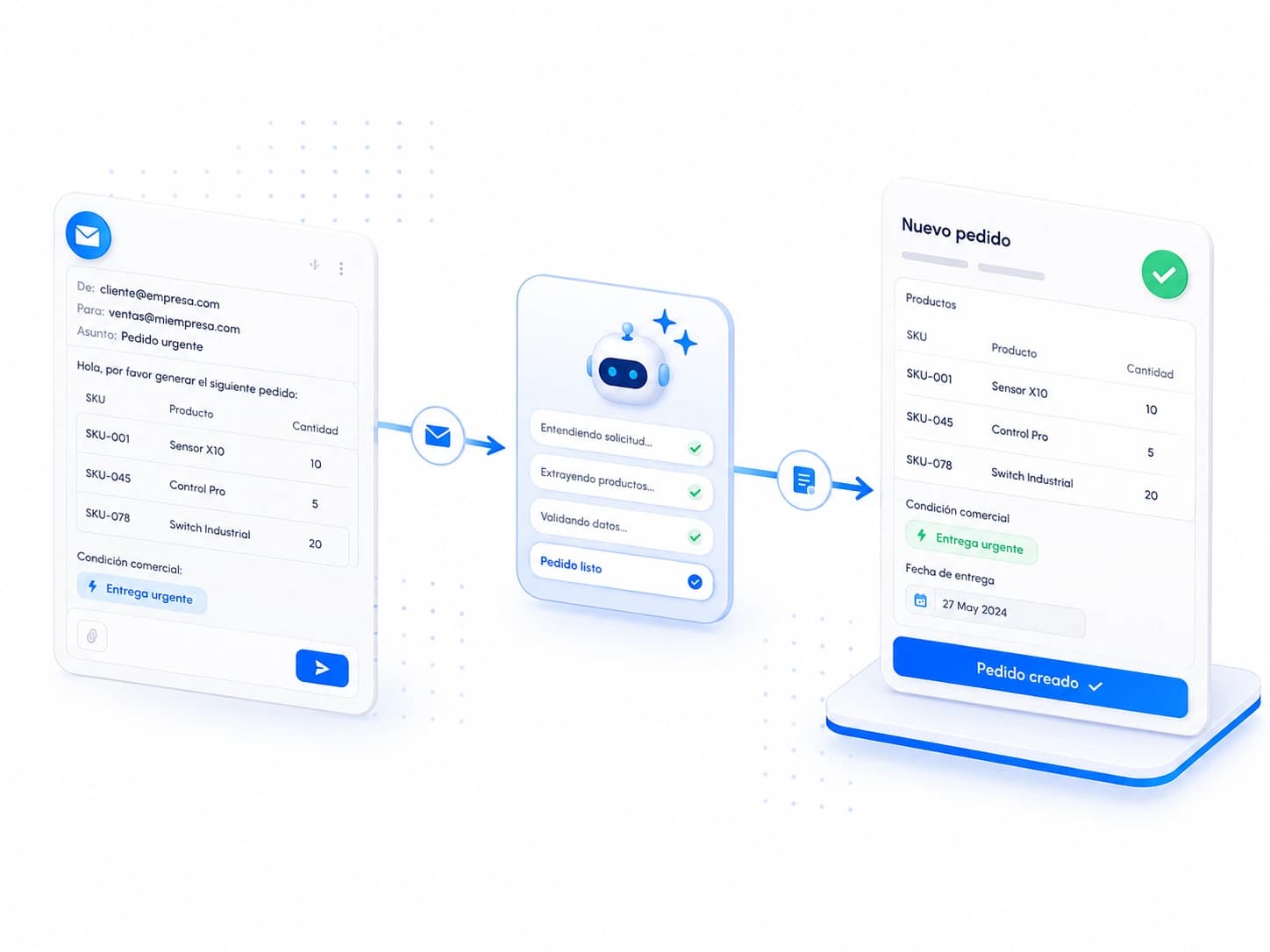
Convert a customer's email into an order

From Email to Order in Seconds

Paste a customer's email into a conversation with your agent and let it handle the rest: it identifies the references, quantities and terms, and creates the order directly in Bold.

No manual line-by-line transcription, no typos, no time wasted on a task that repeats itself every day.
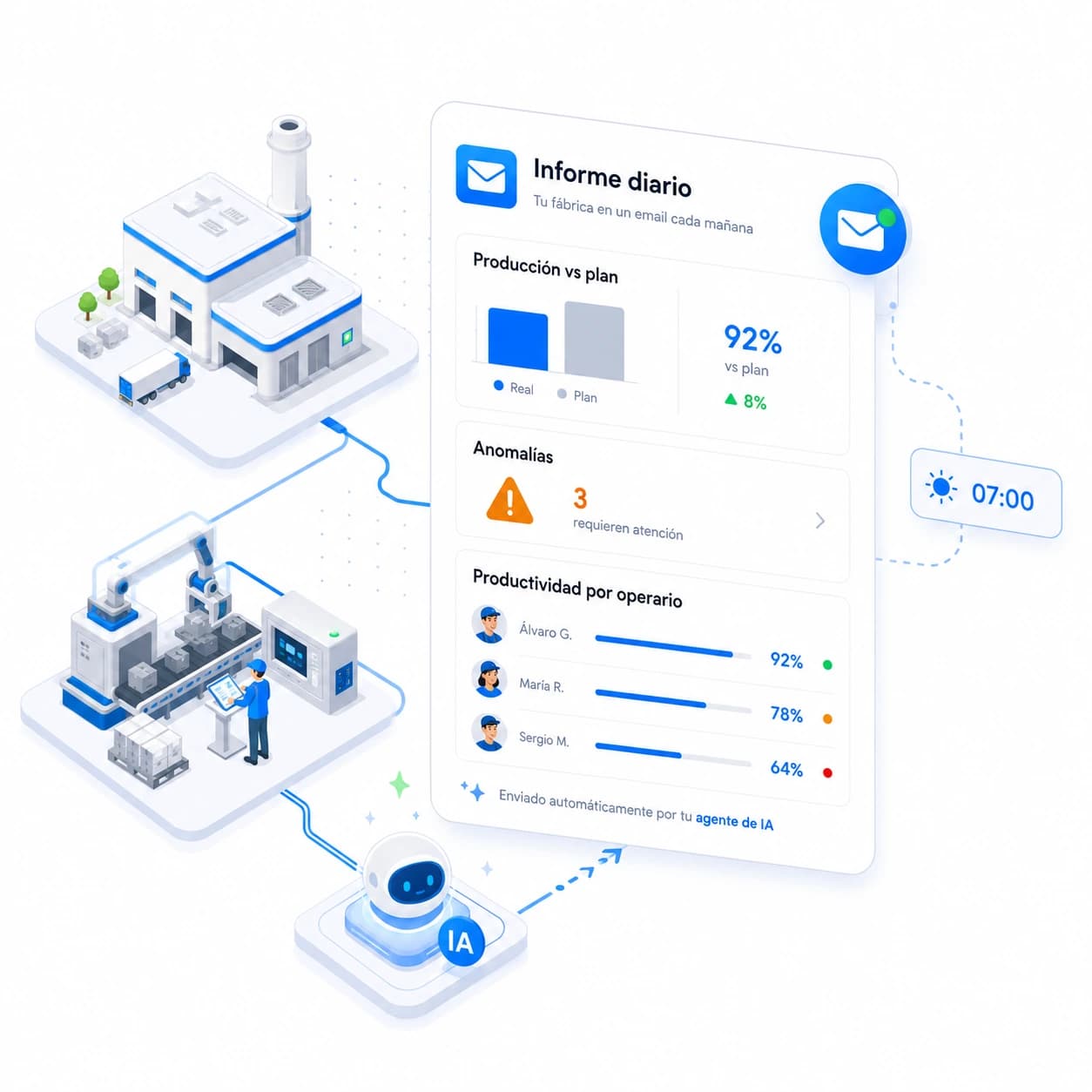
Automatic daily factory report

Your Factory in an Email Every Morning

Schedule an agent to summarise each morning what happened the day before: actual production vs. plan, anomalies detected and productivity by operator.

All the information you need to start the day — without opening a single dashboard or navigating through menus.
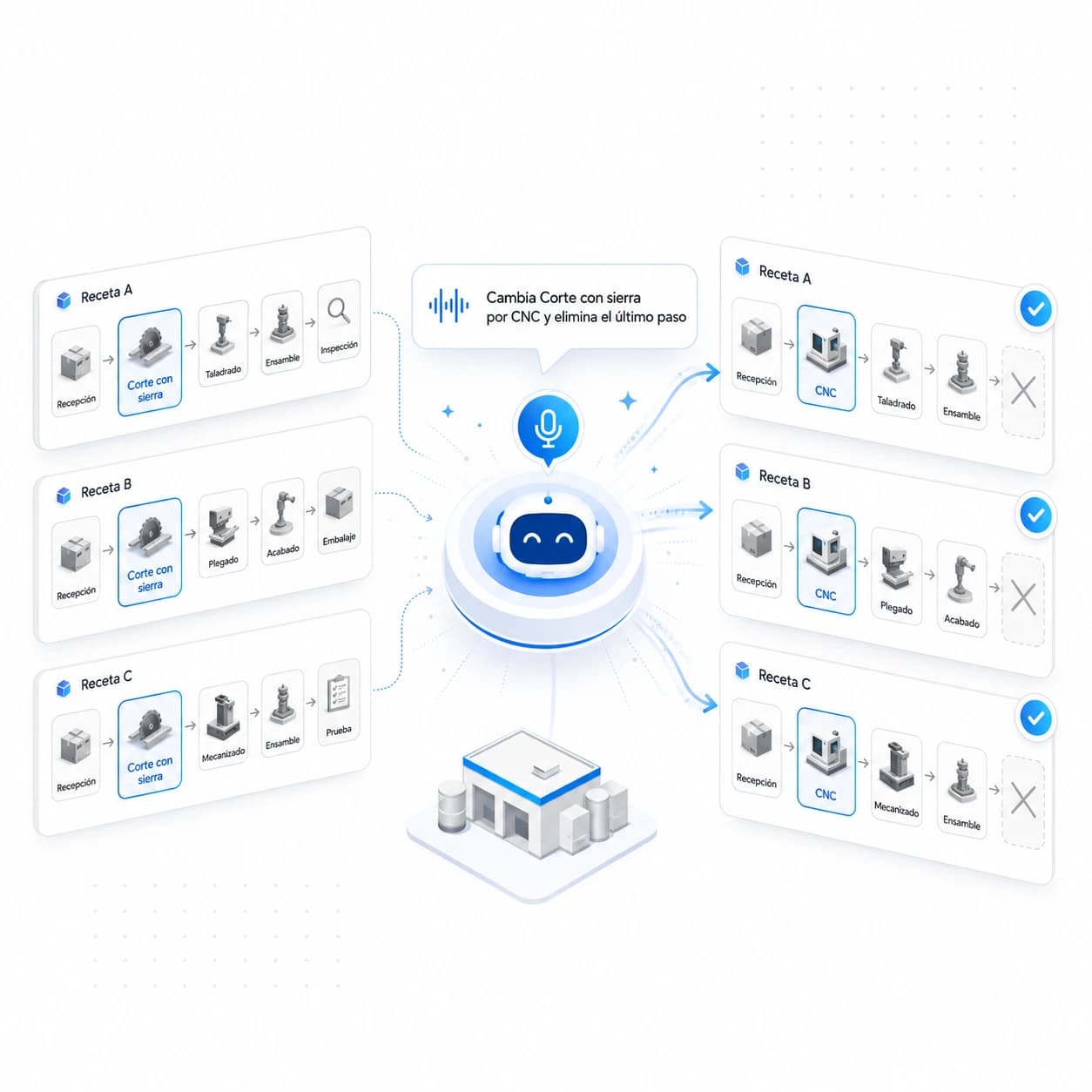
Bulk recipe editing with AI

Edit Recipes in Bulk by Talking, Not Clicking

Stop modifying recipes one by one. Tell the agent something like: «this product is made the same way as that one, except the Band Saw step is replaced by CNC and the last step is removed» and let it apply the changes for you.

What used to take a whole afternoon now gets resolved in a single instruction.
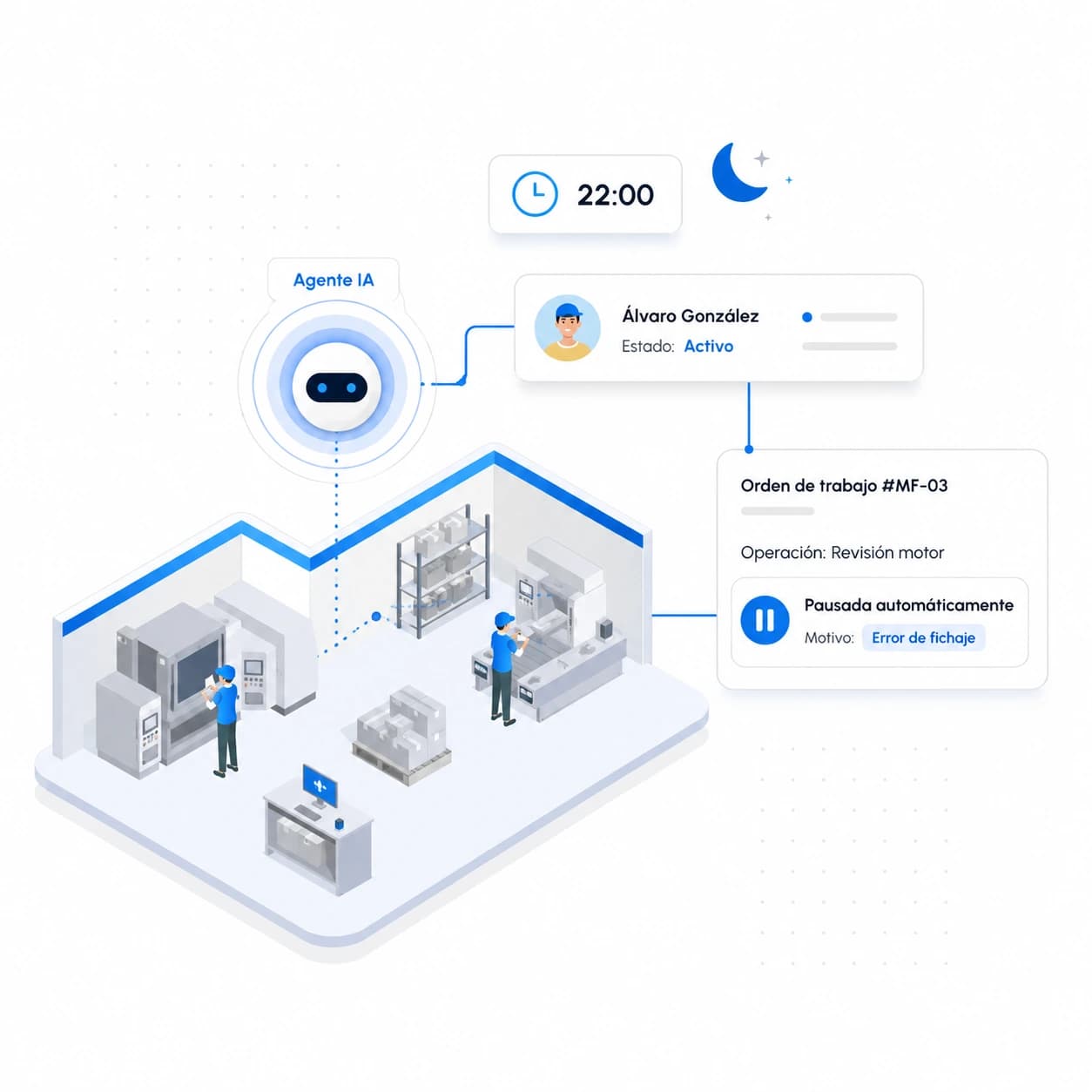
Automatically close forgotten clock-outs

No More Forgotten Clock-Outs

Schedule an agent to review who is still active on the shop floor at the end of each shift and automatically pause any operations left open, noting the reason: Clock-out error.

Clean production data the next morning — no chasing anyone down or spending time manually correcting timesheets.

If You Do It in Bold, an Agent Can Do It for You

The examples above are just that — examples. Any administrative task a team member currently does inside Bold — querying data, generating reports, updating records, closing processes, replying to emails… — is a candidate to delegate to an agent.

You set the limit. If you identify a repetitive task that's eating up hours, talk to your Account Manager: they'll help you set it up as an agent, and from there you'll find it natural to create the next ones yourself.

Frequently asked questions

What is an Agent and how is it different from traditional automation?

An Agent is an AI assistant you instruct in natural language about what you want it to do — no programming of rules or flows required. Unlike classic automation (which follows rigid steps), the agent understands context, knows how to query Bold's data, and reasons about the best way to achieve the objective. If the input changes, the agent adapts without you having to reconfigure it.

What are the usage limits?

Each plan includes a monthly allocation of AI Credits, which is the unit we use to measure the work agents do. Each execution consumes credits based on the complexity of the task: how much data it needs to query, how much reasoning it has to do, and how many actions it performs in the end. As a reference point, each "click" a person would need to make inside Bold to query or do something is roughly equivalent to between 1 and 3 credits. In addition, for each agent you can choose the intelligence level: lighter models are well suited to simple tasks and consume fewer credits, while more powerful models are right for complex reasoning and consume more. From within Bold you can see each agent's consumption at any time to understand which ones are delivering the most value — and if you run low, you can top up your credit pack by talking to your Account Manager.

Can I restrict what an Agent can see or modify?

Yes, and it is strongly recommended. Each agent is configured with scoped permissions: you decide which modules it can read and which entities it can create or edit. This ensures the agent always operates within the boundaries you set and never touches anything it should not.

Can I schedule Agents to run automatically?

Yes. Each agent can run on demand (when you or a colleague talk to it) or on a recurring schedule, at whatever frequency you need: every hour, every morning at a specific time, every Monday first thing... Any repetitive task someone on your team performs today is a candidate to be delegated to a scheduled agent.

Who configures the Agents? Do I need a technical background?

No technical background is required: agents are configured by writing instructions in natural language, just as you would explain a task to a person. Your Account Manager will help you set up the first use cases so you can get the hang of it quickly. After that, any manager in your factory can create and adjust new agents independently.

Which plans include this feature?

Agents are available on all plans (Lite, Pro, and Enterprise) with a monthly AI Credit allocation included. The Lite plan includes 5,000 credits, Pro includes 20,000, and on Enterprise the amount is adjusted to your volume. If you run short on any plan, you can top up your credit pack by speaking with your Account Manager.

Where can I see more usage examples?

We are publishing a series of blog posts explaining how to implement specific use cases step by step. If you have a task in mind and want to see whether it is a good fit, the fastest route is to talk to your Account Manager: they will help you build the first agent, and from there you will find it natural to create the next ones.